
emenu
Featureschevron_rightGuest relationschevron_rightProduct reviews
reviewsPro

Product reviews

Guests write reviews; they go live once you approve them, and you can reply.

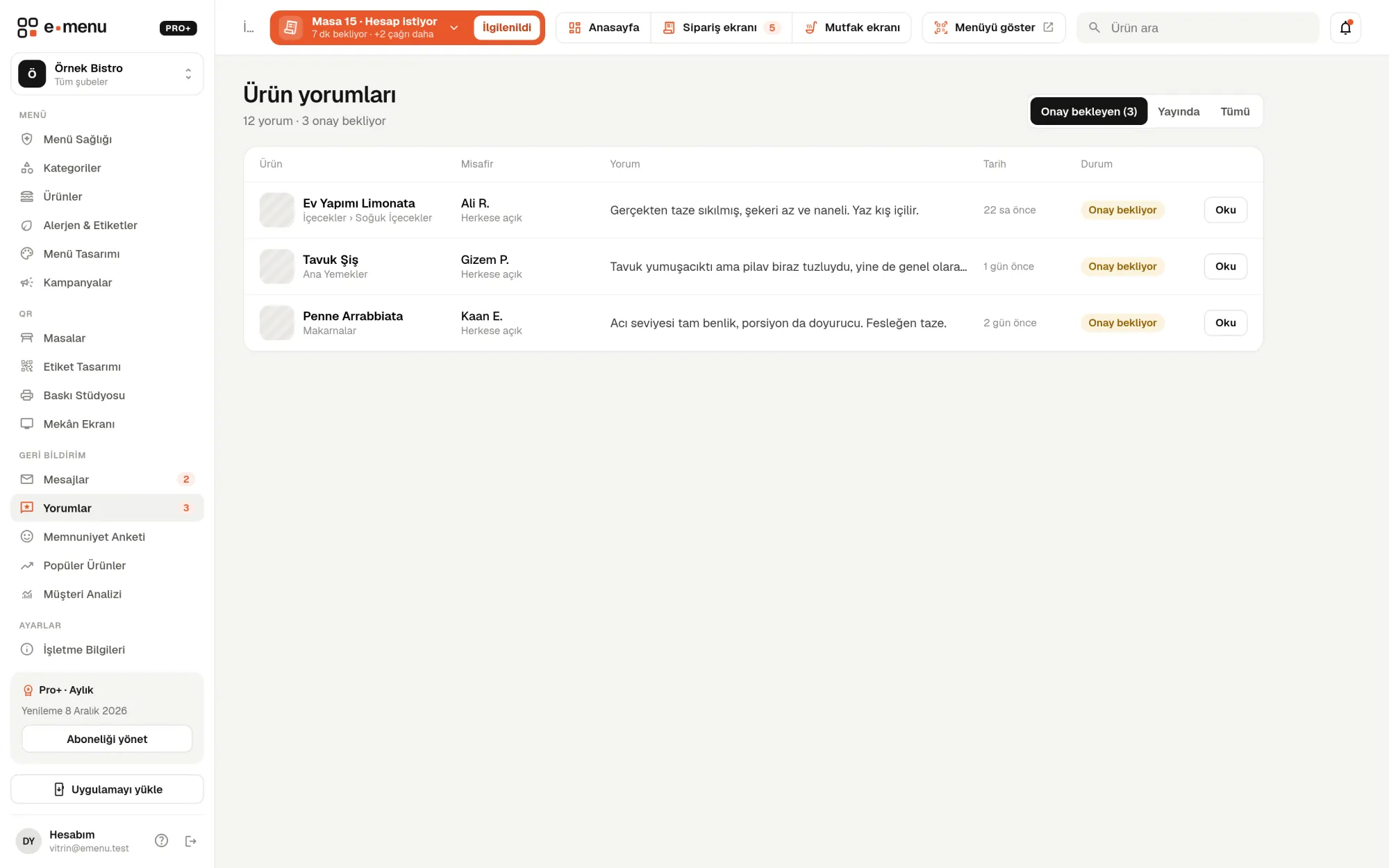
Product reviews · emenu panel screen
lockThis feature is in ProOn the Free plan? Upgrade, or try it free for 14 days with no card.See plans
Overview

What are product reviews?

Product reviews let guests write a review on a product’s page in the QR menu. A review isn’t published right away; it lands in your panel first. If you approve it, it becomes visible to everyone on the product page, and you can write a reply as the business.

Guests looking at the menu wonder, “How is this dessert?” Other guests’ reviews answer that inside the digital menu. Thanks to approved publishing, irrelevant or inappropriate reviews don’t reach your menu, and you can respond to a negative review with your side of the story.

Product reviews are in the Pro plan. There are no star ratings in this feature, only written reviews; to measure overall guest satisfaction with a score, you can use the satisfaction survey.

What you can do

Product reviews ile

check_circleGuests review products
check_circleReviews go live once the business approves them
check_circleThe business can reply to reviews
check_circleGuests can hide their personal details
check_circleReviews awaiting approval on the panel home page
How it works

Three steps.

01
Guests write a review on the product page.
02
Approve the review in the panel.
03
Reply if you like.
Details

Product reviews: details

How do guests write a review?

Product details have a “Reviews” section and a “Write a review” button. The form is short; guests don’t need to download an app or sign up. After sending, they see “Your review will be published after review”.

  • checkFull name (required)
  • checkReview text: 5 to 1000 characters
  • checkMobile phone (optional; if entered, consent to share is requested)
  • check“Hide my personal details” option

Approval and publishing

New reviews land in the “Awaiting approval” tab on the Reviews page in the panel. When you read and approve one, it is published on the product page. You can later unpublish or completely delete a live review. Reviews are managed by the owner and staff with the manager role.

  • checkTabs: Awaiting approval, Live, All
  • checkStatuses: Awaiting approval, Live, Replied
  • checkNumber of reviews awaiting approval in the side menu
  • checkNew reviews on the panel home page and in the notification bell
  • checkWhich product the review is for, with a link to the product on the menu

Business replies

You can write one reply to each review on behalf of the business (up to 1000 characters). The reply appears right below the review on the menu. To remove a reply, just clear the text and save.

Personal data and privacy

The guest’s phone number is never shown on the menu; if the guest consented to share it, it appears only in the panel, in the review details. If “Hide my personal details” is selected, the review is published on the menu as “Anonymous guest”, while you still see the author’s name in the panel. The form is protected against automated submissions and limits the number of reviews from the same source.

In the panel Product reviews2 screens
Product reviews · emenu panel screen
Use cases

Who uses it, and how?

01

Patisserie with a signature dessert

Guests leave reviews on the best-selling cheesecake. The reviews you approve stay on the product page; guests viewing the menu for the first time get to know the product through others’ words.

02

Restaurant receiving a negative review

A guest writes that their food arrived cold. You can publish the review and add a short reply explaining what you did, or not publish it and keep it only in the panel. It’s your call.

03

Café adding new products to its menu

By reading reviews in the first weeks of new products, you decide whether to change the recipe or portion. Since reviews are tied to products, it’s clear which product is being discussed.

04

Guest who doesn’t want their name shown

The guest selects “Hide my personal details”; the review appears on the menu as “Anonymous guest”. You still see who wrote it in the panel.

Frequently asked questions

Product reviews : questions

The Pro plan, and Pro+ as well. On the Free plan, the reviews section doesn’t appear on the menu.

Related features

sentiment_satisfied
Satisfaction survey
Measure what your guests think, NPS included.
Pro
forum
Contact messages
Guests write to you directly from the menu via the “Write to us” form.
Pro
monitoring
Analytics
See what guests do on your menu.
Pro
Pro · 99 ₺ / month + VAT

Grow your menu with Pro.

Try free for 14 daysCompare plans