
emenu
Featureschevron_rightQR menuchevron_rightMultiple currencies
currency_exchangePro

Multiple currencies

Foreign guests see prices in their own language and a currency they know.

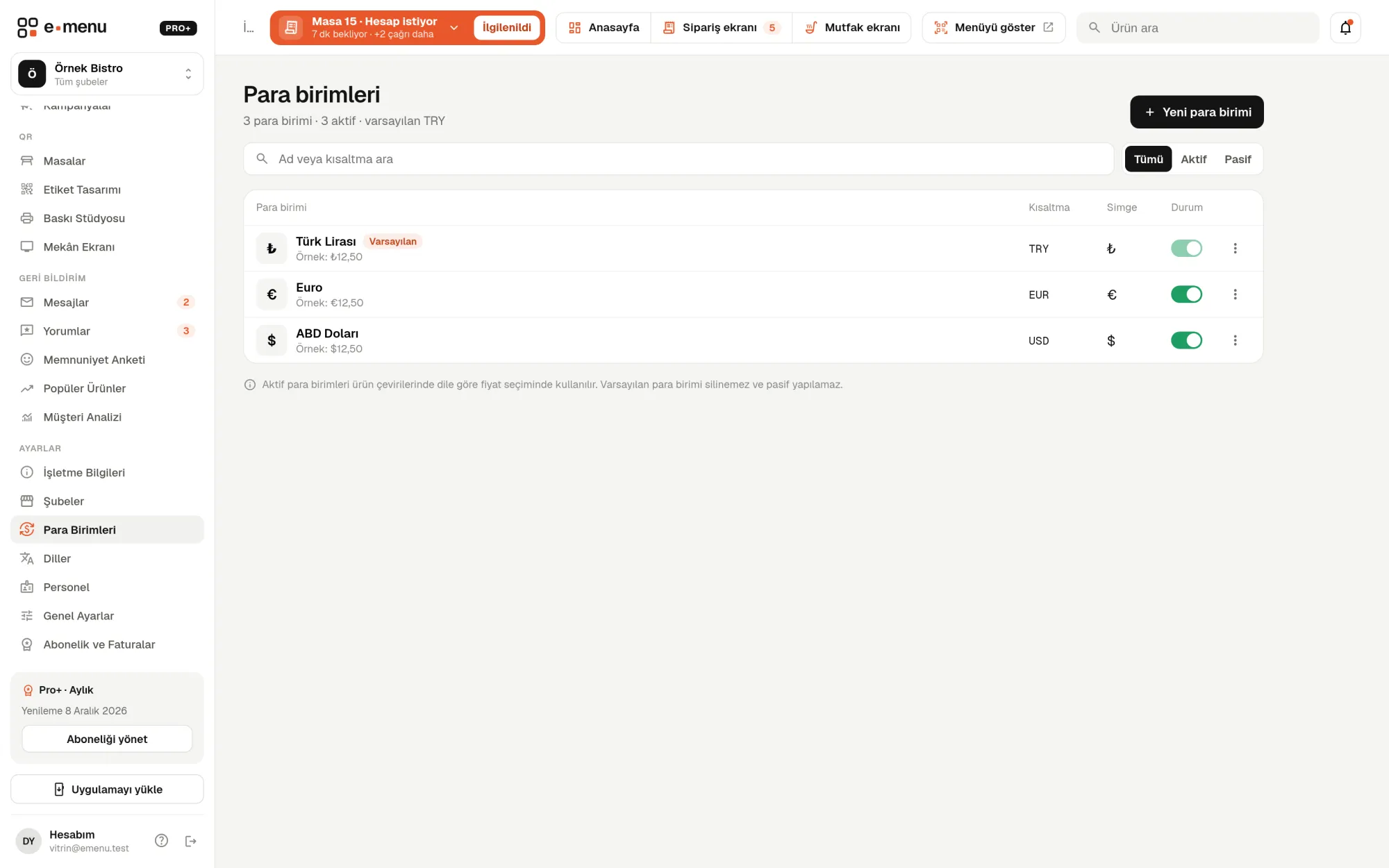
Multiple currencies · emenu panel screen
lockThis feature is in ProOn the Free plan? Upgrade, or try it free for 14 days with no card.See plans
Overview

What are multiple currencies?

When tourists see prices in a currency they know, they immediately understand what they’ll pay. With multiple currencies, your online menu shows prices in dollars, euros, pounds or any currency alongside Turkish lira.

Currency works per language. For each product, you enter the price and currency to show on each language’s menu; for example, euros on the English menu and dollars on the Russian menu. When a guest changes language, the price appears in that language’s currency.

Rates are not fetched automatically; you enter foreign currency prices yourself. That way your menu doesn’t change every time the rate moves, and the round prices you set are what guests see. Multiple currencies are in the Pro plan.

What you can do

Multiple currencies ile

check_circleDefine unlimited currencies
check_circleThe currency switches automatically with the guest’s chosen language
check_circleYou can enter a separate price for each product
check_circleYou control the rates: prices are entered manually
How it works

Three steps.

01
Define your currencies.
02
Link each currency to a language.
03
Enter product prices; the menu shows them by language.
Details

Multiple currencies: details

Defining currencies

Add as many currencies as you like on the Currencies page. For each one you enter a name, a three-letter code and a symbol. You can deactivate a currency you don’t use without deleting it.

  • checkUnlimited currencies
  • checkThree-letter code: such as USD, EUR, GBP
  • checkSymbol: such as $, €, £
  • checkThe default currency is the menu’s main price unit; it can’t be deleted or deactivated
  • checkSwitch the default currency to another one

Price per language

On the product edit page, you set the price and currency in each language’s tab. For languages where you leave the price empty, the product’s regular selling price is shown. So you enter foreign currency prices only for the products you want.

You control the rate

emenu doesn’t fetch exchange rates from the internet or calculate prices itself. If you entered a euro price of 4,50, the menu shows 4,50 € and it stays that way until you change it. When the rate moves a lot, you use bulk price updates.

  • checkBulk price updates can also apply increases to per-language prices
  • checkPrices in other currencies can only be increased or discounted by percentage
  • checkThese prices are rounded in steps of at most 1 unit; the large step you choose for TL isn’t applied to euros

Works with discounts

When you set a time-limited discount on a product, per-language prices are discounted by the same rate. Whatever language guests view the menu in, they see the discounted price in their own currency and the old price struck through.

In the panel Multiple currencies2 screens
Multiple currencies · emenu panel screen
Use cases

Who uses it, and how?

01

Café in a seaside town

You enter euro prices on the English menu and dollar prices on the Russian menu. The Turkish menu stays in TL. Every guest reads prices in their own language and a currency they know.

02

Hotel restaurant hosting foreign guests

If most guests open the English menu, you enter English prices in euros. Local guests open the Turkish menu from the same QR and see TL prices.

03

Foreign currency prices on some products only

You enter foreign currency prices for items tourists often ask about, like wine and cocktails. Products without one keep showing in your default currency.

04

When rates change fast

You open bulk price updates and select per-language prices too; you apply a percentage increase, check it in the preview and apply it. If something goes wrong, you undo it from the price history.

Frequently asked questions

Multiple currencies : questions

The Pro plan, and Pro+ as well. Since currency works per language, multiple languages are unlocked in the same plan.

Related features

translate
Multiple languages and auto-translation
Translate your menu into any language with one click, and review before applying.
Pro
qr_code_2
QR menu
Guests scan the QR and the menu opens on their phone, no app download needed.
Free
account_tree
Multiple branches
All your branches from one account.
Pro
Pro · 99 ₺ / month + VAT

Grow your menu with Pro.

Try free for 14 daysCompare plans