
emenu
Featureschevron_rightQR menuchevron_rightCustom domain
languagePro

Custom domain

Have your menu open on your own domain, like menu.yourvenue.com.

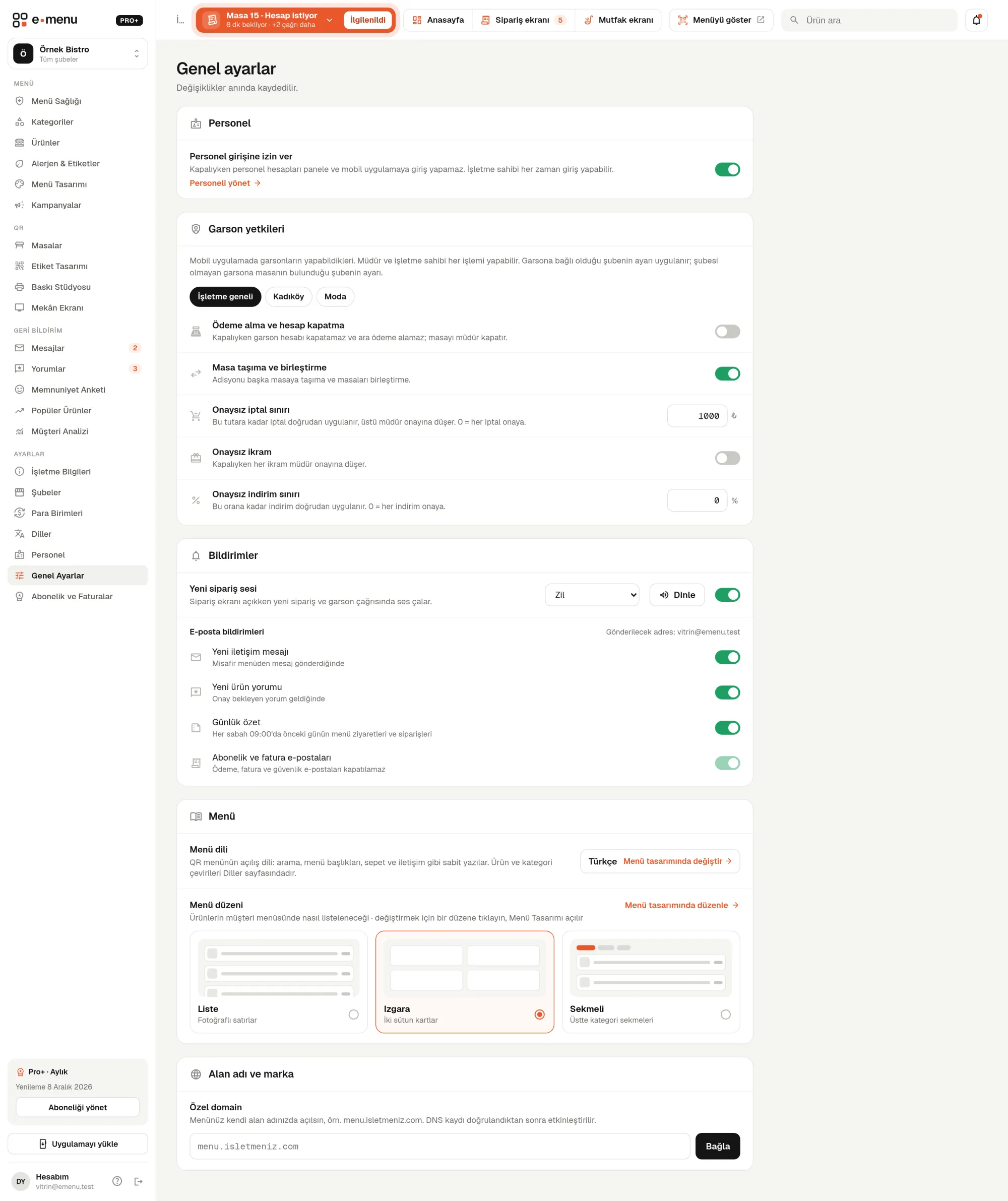
Custom domain · emenu panel screen
lockThis feature is in ProOn the Free plan? Upgrade, or try it free for 14 days with no card.See plans
Overview

What is a custom domain?

On emenu, your menu is published at an address like menu.emenu.web.tr/yourvenue. A custom domain lets you connect your menu to your own domain, like menu.yourvenue.com, so your brand appears in the menu address instead of emenu.

You don’t need to set up a server or upload files to connect it. You add a single CNAME record to your domain’s DNS settings, and the panel checks for itself whether the record is set up correctly.

Custom domains are available in Pro and also in Pro+. On the Free plan, your menu stays published at the emenu address.

What you can do

Custom domain ile

check_circleThe menu opens on your own domain
check_circleThe connection is set up with a single CNAME record in DNS
check_circleThe panel checks that the record is set up correctly
How it works

Three steps.

01
Enter your domain in the panel.
02
Add the CNAME record at your domain provider.
03
Once the panel verifies the record, your menu opens at the new address.
Details

Custom domain: details

How do I connect it?

Connecting takes three steps, all tracked in the panel. You only need to log in once to the panel of the company you bought the domain from.

  • checkEnter your address in the custom domain box on the Settings page in the panel (e.g. menu.yourvenue.com)
  • checkThe panel shows the name and target of the CNAME record you need to add
  • checkAdd this record to your domain provider’s DNS settings
  • checkClick “Check” in the panel; if the record is correct, the status shows as verified

What is a CNAME record?

DNS is like an address book that keeps track of which server a domain points to. A CNAME is an entry in that book that points one address to another. All you need to do is create a single CNAME line in your provider’s DNS screen and enter the details from the panel.

The panel checks the DNS record

The panel actually queries DNS and checks whether the CNAME record points to the right target. If the record isn’t visible yet, it tells you clearly; DNS changes can take up to 24 hours to propagate. You can remove or change the domain at any time, and the check runs again for the new address.

Rules to know

The domain is linked to your business account. A few simple rules prevent confusion.

  • checkA domain can be linked to only one business
  • checkAddresses ending in emenu.web.tr can’t be used
  • checkYour account’s email address must be verified to add a domain
  • checkA subdomain starting with menu. is usually used; your main website stays as it is
In the panel Custom domain1 screens
Custom domain · emenu panel screen
Use cases

Who uses it, and how?

01

Restaurant with its own website

You already own yourvenue.com. You set aside the menu.yourvenue.com subdomain for the menu and add the CNAME record. Your website keeps working at the same address.

02

Café whose domain is managed by an agency

You don’t need to touch the DNS settings. You pass the CNAME details shown in the panel to your agency or web company; once the record is added, you click “Check” in the panel.

03

Business with a newly bought domain

You create the CNAME record in your domain provider’s DNS screen and check it in the panel. If the record isn’t visible yet, you try again a few hours later.

Frequently asked questions

Custom domain : questions

The Pro plan, and Pro+ as well. On the Free plan, your menu is published at menu.emenu.web.tr.

Related features

dashboard_customize
My own design
Build your menu pages from scratch with blocks.
Pro
qr_code_2
QR menu
Guests scan the QR and the menu opens on their phone, no app download needed.
Free
palette
Menu design
Make your menu look like your brand with 6 ready-made designs, 4 layouts and 30 fonts.
Free
Pro · 99 ₺ / month + VAT

Grow your menu with Pro.

Try free for 14 daysCompare plans